Modeswitch
A menu bar app that switches your default browser with your mode.
Chrome for work, Firefox for everything else. But there's only one default browser, and I kept forgetting to switch it.
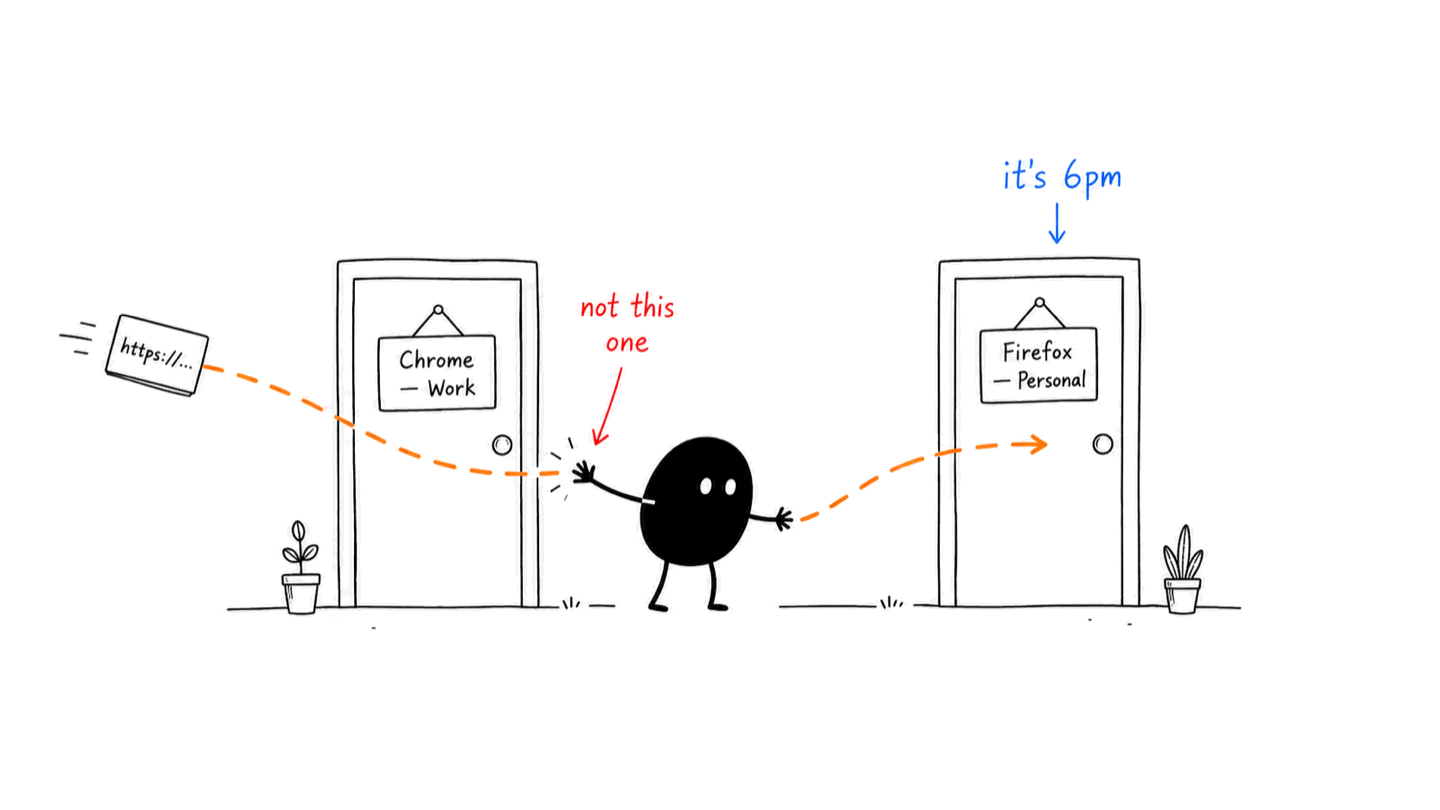
Modeswitch lives in your menu bar. One click, or one shortcut, and every link opens where it should. Works with any browser on your Mac.
Get ModeswitchComing soon · macOS 14+
How it works
01
Define your modes
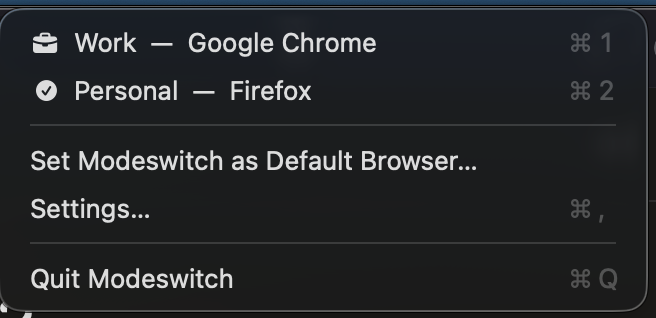
Work → Chrome. Personal → Firefox. Or Safari, Arc, whatever you run. Any installed browser, any pair of modes.
02
Set Modeswitch as the default browser, once
Make Modeswitch itself the system default browser. From then on it receives every link you click and instantly opens it in the browser of your current mode.
03
Switch from the menu bar
Click the menu bar icon, or hit ⌘ 1 / ⌘ 2. No Settings, no dock icon, no ceremony.
Details
- Requires
- macOS 14 or later.
- Price
- One-time purchase. Price announced at launch. No subscription.
- Privacy
- Runs entirely on your Mac. No accounts, no analytics, your links are your business.
- Made by
- Illia Pantsyr, tired of changing the default browser in System Settings twice a day.